Ideo-Bursts and Promisoids

The Whole Medium Is IMHO Suspect

The Whole Medium Is IMHO Suspect

About a year ago, I signed up for Twitter. But then, when I found out I was supposed to “follow” three existing Twitter accounts, I suddenly lost interest, so I never finished my application. About once a week, Twitter e-mails me to finalize my application … but I never will.

Why? A certain Prezidenchul candidate has adopted Twitter as his preferred method of communicating with the world, and I suddenly saw what was wrong with the whole setup. Standing at the microphone (broken or not), Donald Trump thinks in limited bursts of thought that are compatible with the character limit on tweets. He jumps from one tweet-length position to another. This effectively prevents him for discussing such nasty things as details that may substantiate his short ideo-bursts.

On the other hand, these same tweets endear him to his fans, who are not into such mundane things as facts. They are, if anything, practitioners of identity politics: Trump re-connects with his base, and since they identify with him, that connection is all that counts.

When you go into details, you could wind up betraying your base. So, the idea is to just skip around, making short promisoids without pinning himself down on any one of them. Promisoids good, facts bad!

So I think I will never complete my Twitter application process. And here, in considerably more than 140 characters, is why.


The Five Year Curse

It Seems That Computers Last for Only About Five Years

It Seems That Computers Last for Only About Five Years

Poor Martine! Every time my computer craps out, she is at the keyboard. And it’s not her fault—though it’s not easy to convince her of that—it’s just that the system just lost track of its hard drive. I hit the on/off switch and held it until the screen went dark. Then it seemed to come up normally when I punched it again.

But my Dell Optiplex 990 is now five years old, and five is a dangerous age for desktops. I’m going to start the replacement process this week and be even more fanatical about backing up my files. It looks as if I’ll have to start using Windows 10, which shouldn’t be much of a problem, as that is what I use at work.

If you see that I do not post for three or four days in a row, it’ll be because I am in transition. Wish me luck!

You Can, But You Won’t

E-Readers Are OK, but Smart Phones Are Not

E-Readers Are OK, but Smart Phones Are Not

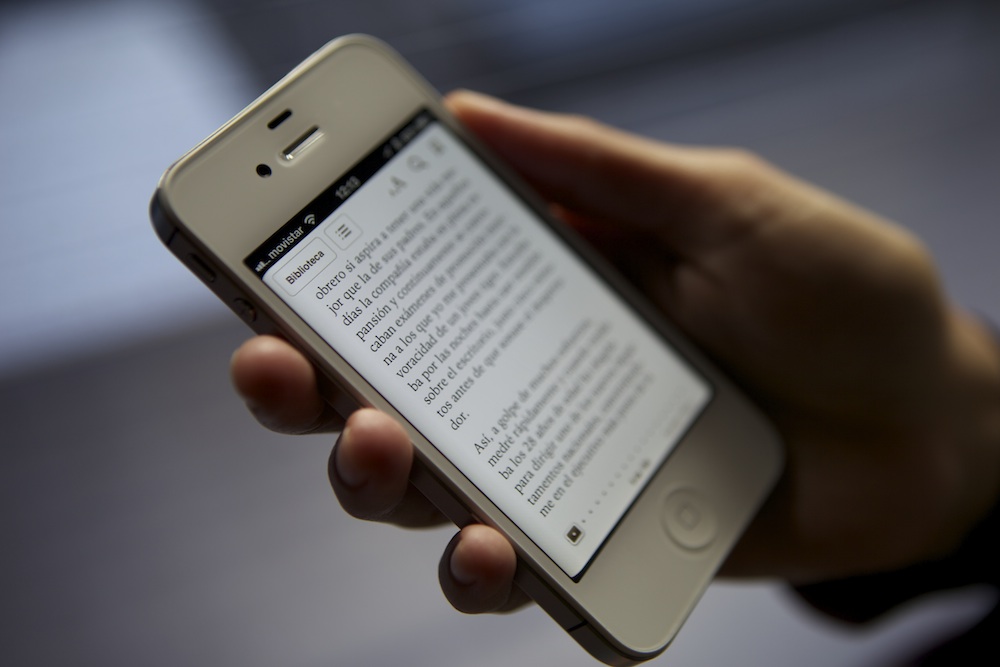
Once I saw a website somewhere about all the devices that smart phones will render obsolete. On the list were e-readers, such as Kindle and Nook. I do not believe, however, that people with smart phones will be reading Proust’s In Search of Lost Time (in seven volumes) anytime soon. I do not even think that they will be reading many shorter books, such as 10 Haikus for the Next Millennium.

Just because you can read books on a smart phone does not mean that you will ever want to. There are four reasons for this:

  • You can only see so many words on a page. Excessive page-turning will render the reading experience too clumsy.
  • If your device is backlit, it will bother your eyes to read for any length of time. E-book readers like Nook and Kindles use a technology that does not glare at you.
  • People past a certain age (and I am already there) have trouble reading words on small screens.
  • Smart phones are so small that the reading experience is psychologically different from cradling a physical book in your hands.

I remember when Gutenberg and other websites put the complete texts of thousands of books online. In the last ten years, I have succeeded in reading only one book online: Sir Richard F. Burton’s Falconry in the Valley of the Indus. It is a relatively short book, and I can tell you it was a real chore, what with the glareback from my monitor. I believe this may also be a problem on iPads and other pad devices.

Over the years, I have long suspected that those people staring at their cellphone screens while walking are probably not reading Moby Dick.


Keeping Track

QuickBooks Online: A Valentine

QuickBooks Online: A Valentine

I don’t usually have too much good to say about accounting—seeing that I’m kind of trapped in the profession for now. At the same time, I do believe that people should carefully take care of their own accounting. There are several reasons for this:

  1. If one keeps track of financial accounts and transactions on a regular basis, there is less chance of becoming susceptible to identity theft.
  2. I don’t know about you, but I don’t have trust in banks, so I regularly do bank reconciliations every month. I have spotted errors at least twice a year which I have had the banks rectify.
  3. Thanks to those same reconciliations, I know how much money I have at any given time.
  4. When tax time comes around, a nice detailed General Ledger report will make filling out your 1040 relatively fast and easy.

For my personal accounting, I used to use QuickBooks Pro 2008, which was stored on my home computer. About this time last year, I switched to QuickBooks Online, which costs me $19.99 a month. It’s worth it: My data is in the cloud, making it accessible from any computer with Internet access. And I no longer have to worry about the program becoming outdated, as the online program updates itself at frequent intervals.

There are a few wrinkles, such as occasional weekend downtime for upgrades and occasional bugs, which always seem to get ironed out within a couple of days. Still and all, I feel in better control of my own finances than ever before.

In Search of the Deskable

My Adventures with E-Books

My Adventures with E-Books

About a third of the books I read are on one of my two Kindles—especially if I am traveling where a bag full of books would limit my range. Most of the time, the experience is pleasant, especially when the e-book I purchase is from a reputable publisher such as Penguin. Sometimes, however, you get an otherwise worthy book that is marred by the bane of e-publishing: namely, Optical Character Recognition, or OCR.

I have just finished reading C.S. Lewis’s superb autobiography, Surprised by Joy: The Shape of My Early Life. In between passages of great beauty, I would find sentences such as: “…but the real Deskable would have evaded one, the real Deske would have been left saying, ‘What is this to me?’”

Deskable? Deske?

The publisher of this e-book decided to forego human proofreading in favor of OCR software. Unfortunately, the software used rendered Desire as Deske and Desirable as Deskable.

At one point, I recognized the word “horkon” as the computer’s reading of “horizon.” The first person singular pronoun was frequently rendered by the decimal digit 1.

Fortunately, the work was good enough for me to persist to the end; but, many a time, usually when dealing with cheapster editions, I have given up in disgust.

Wouldn’t You Know It?

Now My Computer Is Dead

Now My Computer Is Dead, Too

Yesterday, when I got home from work, I noticed that my computer would not turn on. The culprit appeared to be my UPS (uninterruptible power supply) unit, which looks very much like the above, and which just emits a sick squeal when the button is pressed. So I called my friend and system consultant Mike Estrin and asked when he could drop by and replace it. Until then, I will probably not write many blog posts. So it goes….

Stopping Autoplay Videos in I.E.

You Can Also Stop Autoplay Videos in I.E.

You Can Also Stop Autoplay Videos in I.E.

Here, from the February 2015 issue of PC World, are Lincoln Spector’s instructions for suppressing autoplay videos in Internet Explorer:

  1. From the menus at the top of the window, select: Tools>Manage add-ons.
  2. In the resulting Manage Add-ons dialog box, make sure that Toolbars and Extensions is selected on the left. Wait for the list to appear.
  3. Find and double-click Shockwave Flash Object on the right. (It’s listed under Adobe and will likely be near or at the top.)
  4. In the resulting More Information dialog box, click the Remove all sites button. Then close the dialog boxes.

According to Spector, the Flash windows may not appear at all, or they may appear blank. A bar at the bottom of the window will offer options to allow Flash to play. Click the x on the right to indicate No.

How to Stop Autoplay Videos

Yes, You Can Retain Control Over Videos

Yes, You Can Retain Control Over Videos

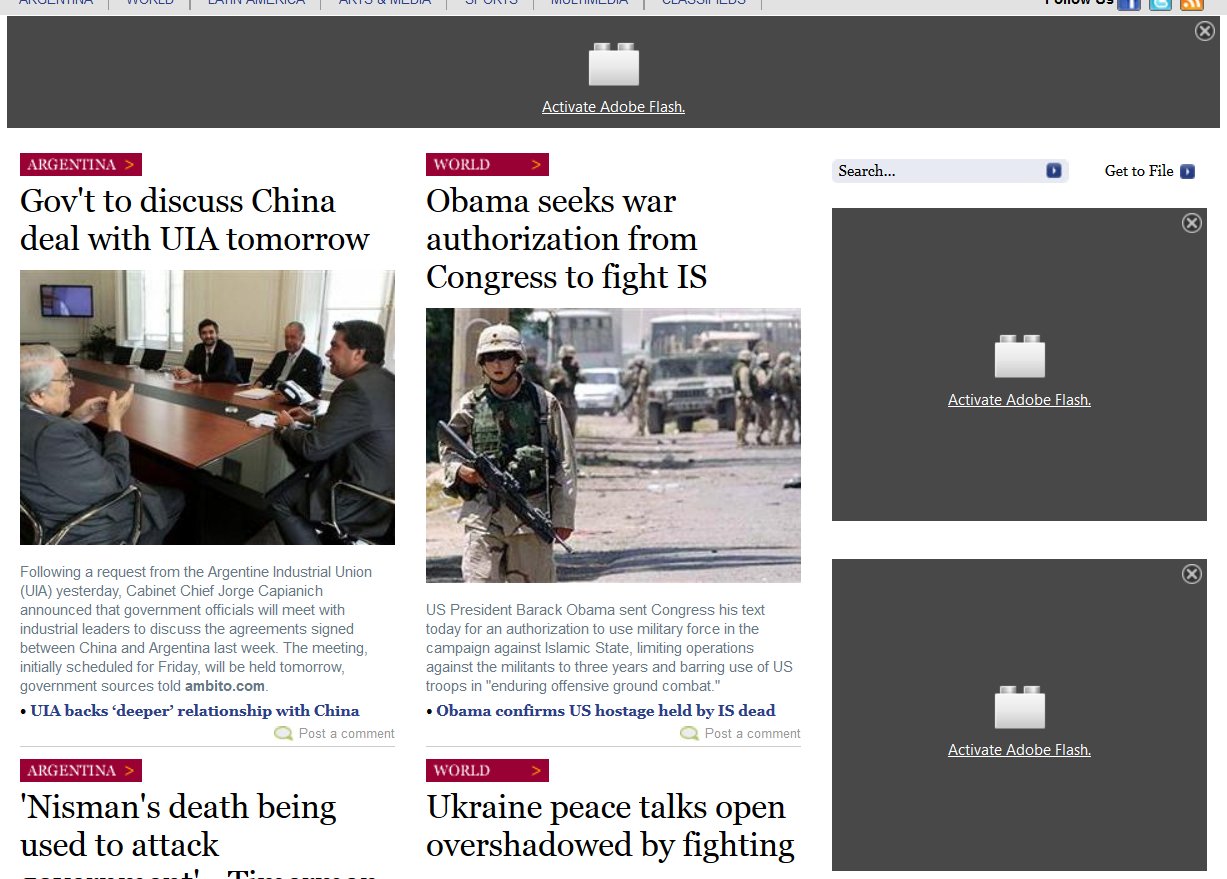
Last summer, I wrote a blog posting entitled Streaming Agony in which I bewailed the tendency of websites to push streaming videos in your face when you open websites—particularly prevalent among news websites. Most of these streaming videos are controlled by Adobe Shockwave. Using your Internet browser, you could request that the video be grayed out, as in the three examples in the above screen shot from the Buenos Aires Herald, and activated only when you specifically request it. By clicking on “Activate Adobe Flash,” you can see the video once, or grant blanket permission to the website.

Because I use Mozilla Firefox as my browser, I will reprint the instructions by Lincoln Spector from the February 2015 issue of PC World on “How to Stop Autoplay Videos” using this browser. If you should be a user of Google Chrome or Internet Explorer, reply at the bottom of this post and I will post the equivalent instructions for your browser. If you use Safari, you are out of luck.

Here are the instructions for suppressing autoplay videos on Firefox:

  1. Press Ctrl-L to go to the address bar and type in the local URL field: about:addons.
  2. Click Plugins in the left pane.
  3. Find Shockwave Flash in the list of plug-ins.
  4. Click the Always Activate pop-up menu on the right, and select Ask to Activate.

The article in PC World continues:

When you visit a page with an embedded Flash video, the video window will be in a box, but this time it will be white with Adobe’s Flash logo (a stylized letter ‘f’ in the center). A gray bar at the top of the page will give you options to continue blocking or allow the flash.

If you click Allow, you’ll get options to Allow Now or Allow and Remember. If you want to allow it at all, I recommend Allow Now.

Hopefully this will protect you from loud NSFW (Not Safe for Work) loud ads and most autoplay videos.


Films: The Imitation Game

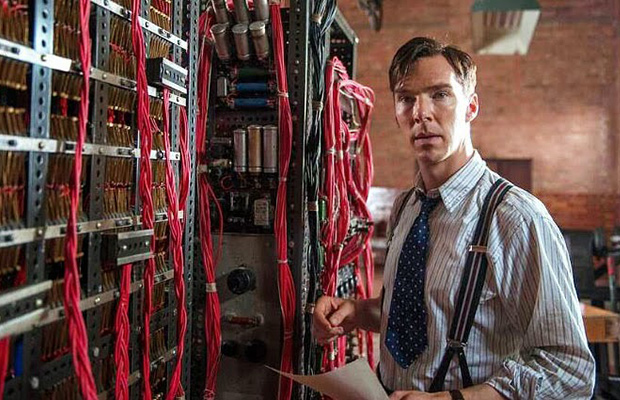
Benedict Cumberbatch as Alan Turing

Benedict Cumberbatch as Alan Turing

I knew I would love The Imitation Game even before I saw it. I’ve been working with computers for half a century. Back in the 1960s, they were still often called Turing Machines in honor of the perverse mathematical genius who almost single-handedly invented the first digital computer, code-named Christopher.

Ironically, what brought Turing down were England’s anti-homosexuality laws. Given a choice between prison and a regimen of hormonal drugs to “cure” him, he chose the latter. Within a couple of years, frustrated by the drugs’ effect on his intellect and libido, Turing finally committed suicide in 1956, a scant nine years before I started working on my first computer, a GE 600 series at Dartmouth College, using the world’s first timesharing system and the world’s first higher-order programming language, BASIC.

As you may know, I don’t see too many current films, especially when they are of the self-indulgent “indie” variety. The Imitation Game, on the other hand, is about a man whose way of thinking and feeling is radically different from most of us. And yet he is one of the greatest geniuses of the Twentieth Century, along with Einstein, Von Neumann, Szilard, Teller, Oppenheimer, and a handful of others.

I liked The Imitation Game so much that I intend the read the biography by Andrew Hodges on which it based, Alan Turing: The Enigma. Enigma was the code name of the cryptography machine the Nazis used during World War Two for all their most top secret communications. Turing and his assistants not only cracked the code, but did it in such a way that the Germans could not know that the code was cracked—so they continued using it throughout the war.

Benedict Cumberbatch was superb as the code-breaker, as was Keira Knightley as his talented assistant.


Dysinventions

I Wish Touchscreen Keyboards Could Be Uninvented

I Wish Touchscreen Keyboards Could Be Uninvented

There are wonderful inventions that make things easy for people. Then there are what I call dysinventions, or bad inventions, that while seeming to advance technology actually represent a step backward. One prominent example is the touchscreen keyboard. I could see the thought forming in the inventor’s mind: “Why not get rid of the clunky keyboard and just have people hit letters on a keyboard that appears on the screen?”

Well now, that’s just ducky for texting, twittering, and other forms of second-tier communications; but I could not enter this blog on such a quasi-keyboard. Let’s take yesterday’s blog, for example. I would have to type the name of the Icelandic volcano Eyjafjallajökull without the umlaut over the “o”. Eyjafjallajokull would probably look okay to most people, but it is wrong to me; and I insist on absolute correctness. To get the letter, I hit Alt-0246 on my keyboard. To get the em dash in the third paragraph, I type Alt-0151 instead of the double hyphen (“- -”) using the old typewriter convention.

I feel bad enough that there are some Eastern European diacritical marks I can’t use, such as an anacrusis or the Hungarian double-acute-accent over the “o” and “u” to indicate an extended vowel sound. In time, I will figure this out. But not on one of those touchscreen keyboards. I can imagine it would be gruelling just to type an average paragraph shifting between upper and lower case letters and numbers, let alone diacritical marks.

If I can’t make it look as if it were typeset, I would just as soon forget the whole thing. It just wouldn’t be me.

And that is why I don’t travel with an iPad or similar “crippled computer.”